

Download Nero BackItUp – Secure Backup Tool for Windows, macOS & Cloud
Overview of Nero BackItUp 2019
Nero BackItUp 2019, developed by Nero AG, is a comprehensive backup utility designed to protect personal and professional data across a wide range of storage media. Whether you’re working on a desktop, laptop, or a hybrid device, this software offers a fast, reliable, and user‑friendly way to create secure copies of documents, photos, videos, and other valuable files. The tool integrates seamlessly with external hard drives, USB flash drives, network‑attached storage (NAS), optical media, and leading cloud platforms such as OneDrive and Google Drive.
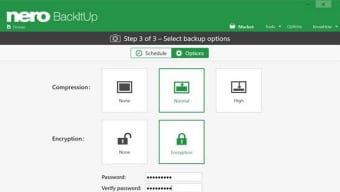
With a single click, users can schedule daily, weekly, or monthly backups, or opt for continuous real‑time protection. Built‑in AES‑256 encryption ensures that each backup is shielded from unauthorized access, while versioning capabilities let you retrieve older file revisions when needed. Nero BackItUp also features automatic verification of every backup, guaranteeing that the stored data matches the original source.
This combination of flexibility, security, and ease‑of‑use makes it an ideal solution for anyone looking to safeguard their digital life against ransomware, hardware failures, accidental deletions, or any other form of data loss.
Key Features That Set Nero BackItUp Apart
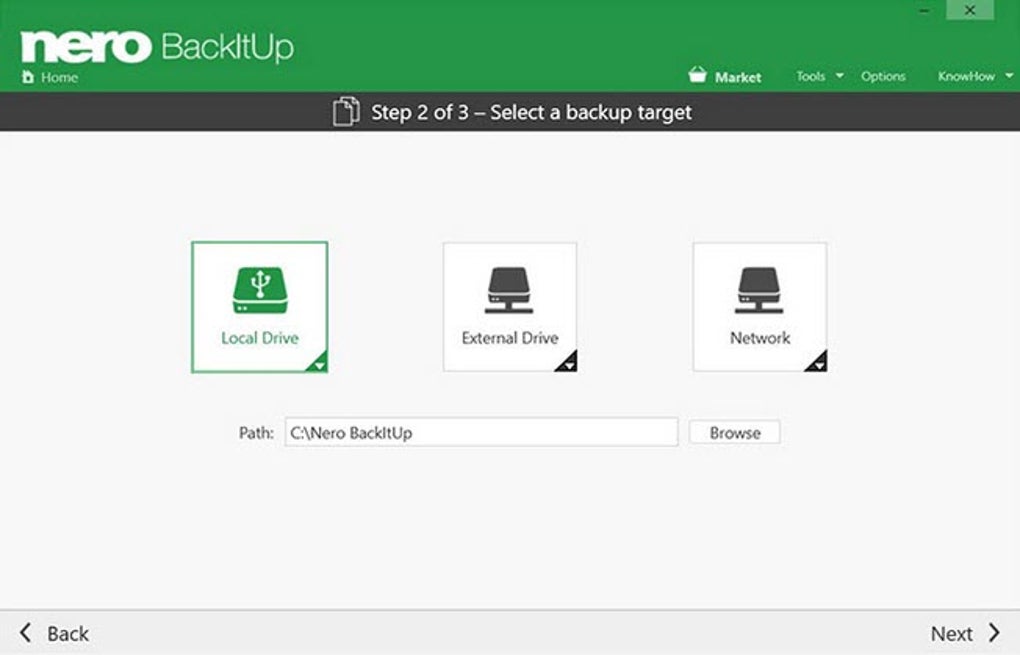
- Multi‑Destination Support: Choose from USB/ external HDDs, NAS devices, optical discs, and cloud services (OneDrive, Google Drive).
- One‑Click Activation: Launch backup jobs with a single button press, ideal for users who prefer minimal setup.
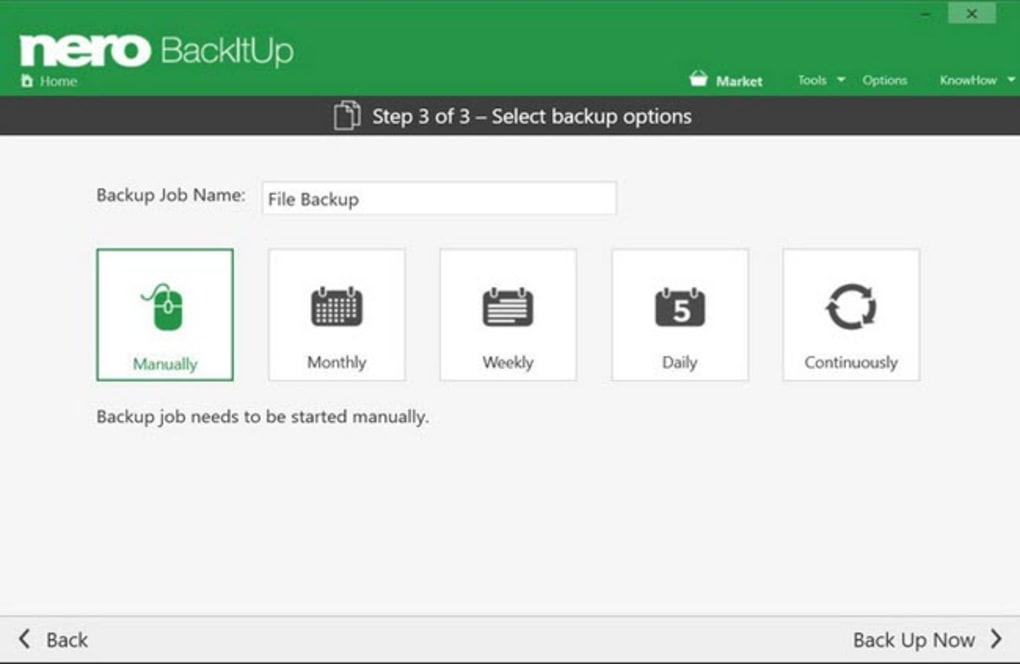
- Flexible Scheduling: Configure daily, weekly, monthly, or continuous backups to match your workflow.
- Version Control: Preserve older file versions locally, allowing rollback to a previous state when required.
- AES‑256 Encryption: Industry‑standard encryption protects your backups from theft or interception.
- Automatic Integrity Checks: Each backup is verified twice to ensure data consistency and reliability.
- Resource‑Efficient Design: Runs in the background with low CPU and memory impact, so your system stays responsive.
- Cross‑Platform Compatibility: Fully compatible with Windows 10/11 and macOS 10.15+ (Catalina and later).
- Intuitive Interface: Drag‑and‑drop file selection, clear progress bars, and detailed logs for transparency.
- Backup Compression: Reduces storage footprint on both local drives and cloud accounts, saving you money.
Beyond the bullet‑point list, Nero BackItUp provides a layered safety net that adapts to both novice users and IT professionals. Its modular design means you can start with a simple local backup and later expand to cloud storage without reinstalling or reconfiguring the core engine. The software also supports “smart backup” – it only copies changed portions of files after the initial full backup, dramatically speeding up subsequent runs and reducing bandwidth consumption for cloud uploads.
Installation, Usage Instructions, and System Compatibility
Step‑by‑Step Installation
- Download the installer from the official Nero website or a trusted partner portal.
- Run the
.exe(Windows) or.dmg(macOS) file and follow the on‑screen wizard. - Accept the End‑User License Agreement, choose your preferred installation folder, and click Install.
- When prompted, allow the application to create firewall exceptions – this is required for cloud sync.
- Finish the setup and launch Nero BackItUp from the Start Menu (Windows) or Applications folder (macOS).
First‑Time Configuration
Upon launching the program, you’ll be greeted by a clean dashboard. Click the New Backup button, then drag the files or folders you wish to protect into the designated area. In the Destination panel, select one or more storage targets – for example, an external SSD and Google Drive. Use the Schedule tab to define how often the backup should run. If you prefer continuous protection, enable the Real‑Time Monitoring toggle, which will back up changes the moment they occur.
Running Backups
Backups can be started manually by pressing the Start Backup button, or they will launch automatically according to the schedule you set. A progress bar shows the current status, while a detailed log (accessible via the View Log link) records any errors, skipped files, or encryption steps. After completion, the software displays a confirmation screen and offers a quick “Open Backup Folder” shortcut.
System Requirements (itemprop="operatingSystem")
Windows 10, Windows 11 (64‑bit) – Minimum 2 GB RAM, 500 MB free disk space for the application, and at least 1 GB of additional space for temporary files.
macOS 10.15 Catalina or later (64‑bit) – Minimum 2 GB RAM, 500 MB free disk space, and Apple’s System Integrity Protection enabled.
The software also runs on Windows Server editions (2016, 2019) for small‑business environments.
Compatibility with the latest OS updates is regularly verified by Nero’s development team, and automatic updates keep the backup engine current without manual intervention.
Pros, Cons, and Frequently Asked Questions
Pros
- Extensive support for both local and cloud storage destinations.
- Strong AES‑256 encryption and automatic integrity verification.
- User‑friendly interface suitable for beginners.
- Flexible scheduling with real‑time monitoring.
- Versioning lets you restore older copies without hassle.
Cons
- No native Linux client (requires Windows/macOS).
- Advanced enterprise features (e.g., centralized admin console) are only available in higher‑tier plans.
- Initial full backup can be time‑consuming for very large data sets.
FAQ – Your Backup Questions Answered
Can I back up to multiple cloud services simultaneously?
Yes. Nero BackItUp lets you select more than one cloud destination per backup job, so you can store copies on both OneDrive and Google Drive for added redundancy.
How does versioning work and how many versions are kept?
Versioning saves each changed file as a separate entry in the local version store. By default, the last five versions are retained, but you can adjust this limit in the Settings panel.
Is the backup data encrypted before it leaves my computer?
Absolutely. Nero BackItUp encrypts all data with AES‑256 before it is written to any external device or uploaded to the cloud, ensuring end‑to‑end security.
Can I restore individual files without reinstalling the whole backup set?
Yes. The restore wizard allows you to browse the backup archive, select single files or folders, and restore them to any location of your choice.
Does Nero BackItUp support network‑attached storage (NAS) devices?
It does. You can map a NAS share as a backup destination, and the software will treat it like any other external drive, complete with encryption and verification.
Conclusion – Why Nero BackItUp Is a Smart Choice for Data Protection
In a world where data breaches, ransomware attacks, and hardware failures are becoming increasingly common, having a reliable backup solution is no longer optional—it’s essential. Nero BackItUp 2019 delivers a well‑rounded package that blends simplicity with powerful features. Its ability to back up to a variety of destinations, coupled with robust AES‑256 encryption and automatic verification, gives users confidence that their files are safe, whether stored locally or in the cloud. The intuitive interface lowers the barrier for non‑technical users, while the flexible scheduling and real‑time monitoring satisfy power users who need granular control.
While the lack of a native Linux client may be a drawback for some, the software’s cross‑platform support for Windows and macOS covers the vast majority of home and office environments. The minor cons—such as longer initial backup times for massive data sets—are outweighed by the long‑term peace of mind the application provides. Whether you’re a photographer safeguarding high‑resolution images, a small business owner protecting client records, or a student preserving coursework, Nero BackItUp offers a scalable solution that grows with your needs.
Ready to protect your digital life? Download Nero BackItUp now and experience a hassle‑free, secure backup workflow. Take advantage of the free trial to test the full feature set, and consider the premium license for unlimited cloud storage integration and priority support. Don’t wait for a data disaster—secure your files today.
Nero BackItUp 2019 offers a solid blend of usability, security, and flexibility. The intuitive UI, strong encryption, and multi‑destination support make it a top contender in the consumer backup market. Minor limitations like the absence of a Linux client keep it from a perfect score, but overall it earns a strong 4.5‑star rating.







